


CNC operation panel explanation, see what these buttons mean
The operation panel of the machining center is something that every CNC worker needs to touch. Let's take a look at what these buttons mean.

The red button is the emergency stop button. Pressing this switch will stop the machine tool, usually in emergency or unexpected situations

Starting from the far left. The basic meaning of the four buttons is
1. Automatic program operation refers to the use of automatic program operation during processing, which is a commonly used processing method. In this state, the operator only needs to clamp the product and press the program start button to start the operation
The second one is the program editing button. Mainly used for editing programs
The third one is MDI mode, mainly used for manually entering short codes such as S600M3
The 4DNC mode is mainly used for wire processing
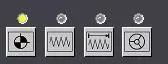
These four buttons, from left to right, are
1 Program zeroing button, used for zeroing operation
2. Rapid feed mode, press this key in conjunction with the corresponding axis to move quickly
3. Slow feed, press this button to move the machine tool slowly accordingly
4 handwheel buttons, press this button to operate the handwheel
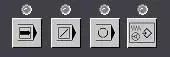
These four buttons are from left to right
1. Single section execution, pressing this key will stop the program after executing for a period of time
Two program segments skip instructions. When there is a/symbol in front of some program segments, pressing this key will not execute the program segment
3 options to stop. When there is M01 in the program, pressing this key will activate the code
4 Manual demonstration instructions
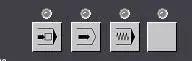
1 Program restart button
Command to lock the machine tool. Pressing this key will lock the machine tool and prevent it from moving. Used for debugging
3 idle operation, usually combined with the machine tool lock command, used for debugging programs.
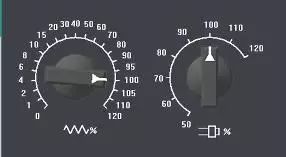
The switch on the left is used to adjust the feed rate. The one on the right is the spindle speed adjustment button
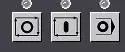
From left to right, there are the cycle start button, program pause, and program MOO stop.
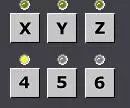
This represents the corresponding spindle, and generally machine tools do not have 5-axis and 6-axis. Can be ignored
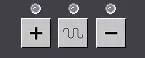
Used to control the movement of machine tools. Press the key in the middle to quickly feed.
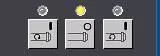
The sequence is spindle forward rotation, spindle stop, and spindle reverse rotation.
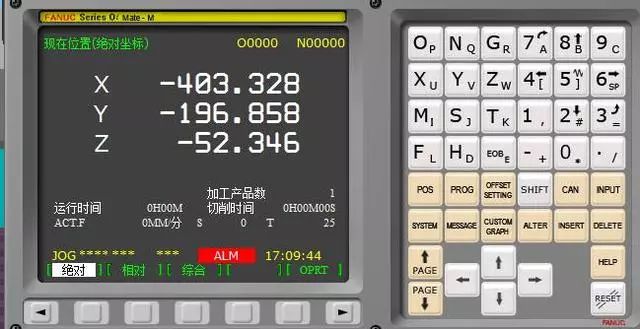
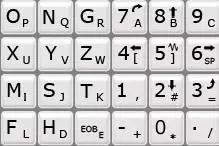
The number and letter panel, this one doesn't need to be explained much, just like the keyboard on a mobile phone or computer.
The POS key means coordinate system. Pressing this key will display the relative coordinate, absolute coordinate, and machine coordinate system
ProG is a program key, and the corresponding program operations generally need to be operated in the mode of pressing this key
OffsetSetting is used to set the coordinate system for tool separation
Shift is the shift key
CAN is a command that can be cancelled by pressing the cancel button due to incorrect input
IUPUT is an input key, which is required for general data input and parameter input
SYETEM system key. Mainly used to view system parameter settings
MESSAGE mainly provides information prompts
CUSTOM graphic parameter command
ALT is a replacement key used to replace instructions in a program
Insert is an instruction used to insert program code
Delete is mainly used to delete code
The RESET button is very important, mainly used for resetting, stopping programs, and stopping some commands.
I have basically finished speaking the buttons, and I need to practice more on site to become familiar with them


